
Download FoxiFly – Collaborative Browsing Toolbar, Free Social Extension
Overview
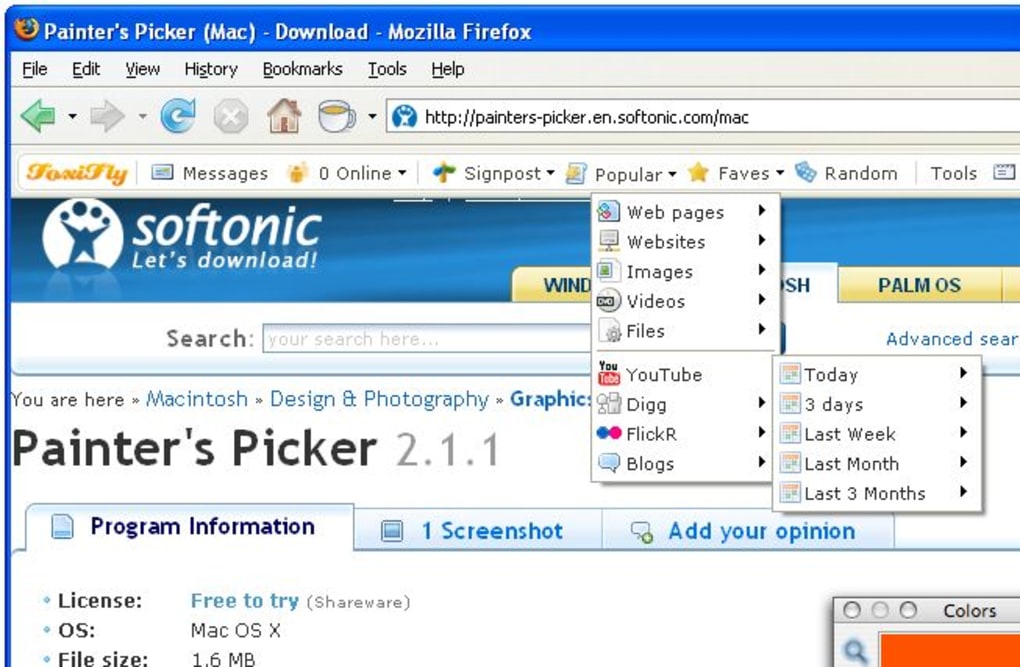
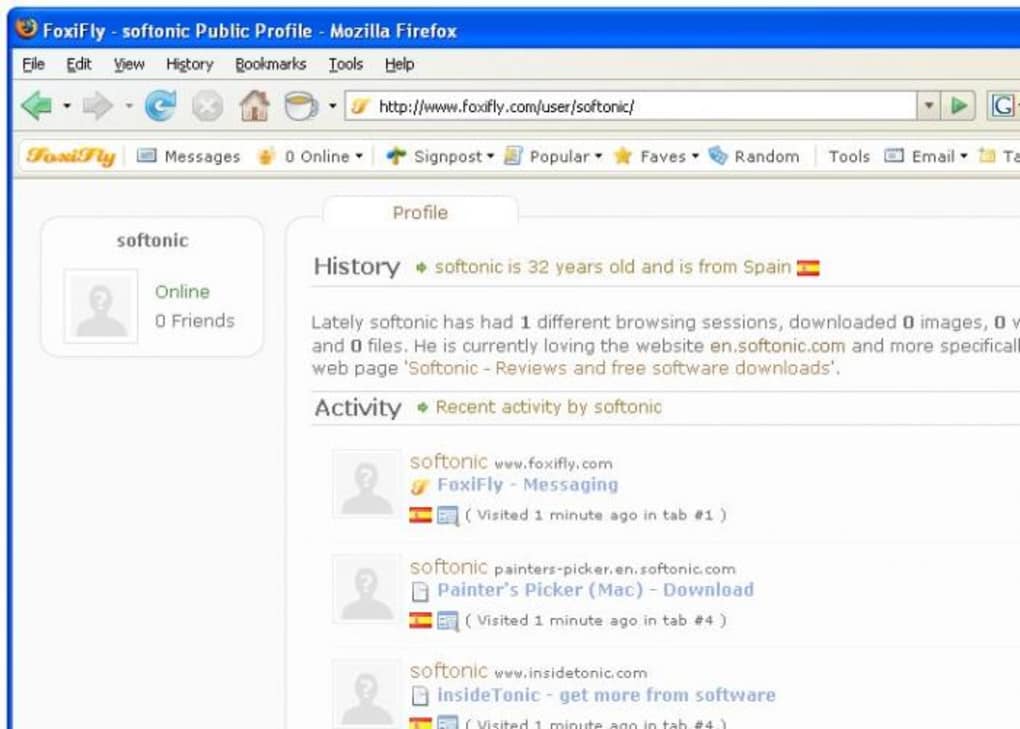
FoxiFly blends the power of a modern social network with the convenience of a browser toolbar, turning every web session into a shared experience. Designed as a Firefox (and Chrome) extension, the tool lets you chat with friends, instantly share any webpage, and even browse the same site side‑by‑side to discuss content in real time. The built‑in popularity engine tracks visits from the FoxiFly community and surfaces hot links from platforms such as YouTube, Digg, and Flickr with a single click.
Beyond collective browsing, FoxiFly offers handy utilities like an email checker, tab‑sets for bulk tab opening, and public bookmark lists that act as a crowd‑sourced discovery hub. While the concept encourages social discovery, privacy‑concerned users can disable tracking, though doing so limits the community‑driven features. Overall, FoxiFly aims to transform solitary surfing into a collaborative, socially enriched activity without sacrificing the familiar feel of a traditional toolbar.
Key Features That Make FoxiFly Unique
- Live Social Browsing: Open a webpage and invite friends to join your session. Everyone sees the same URL, enabling real‑time discussion as if you were in the same room.
- Instant Share Toolbar: One‑click sharing of any page to your FoxiFly network, social media, or email, eliminating the need for copy‑paste URLs.
- Community Popularity Rankings: The extension aggregates visits from all members and produces dynamic “What’s Hot” lists for video, image, and news sites.
- Public Bookmark Collections: Curated lists created by users that act as crowd‑sourced recommendations for blogs, tutorials, and entertainment.
- Built‑in Utilities: Email address checker, tab‑set manager for opening multiple tabs at once, and quick‑launch shortcuts for favorite sites.
- Privacy Controls: Simple toggle to turn off activity tracking, giving you full control over what data is shared with the community.
- Cross‑Browser Support: Available for Firefox, Chrome, and Edge, ensuring a consistent experience across major browsers.
Each feature is designed with both social interaction and productivity in mind. The live browsing mode, for example, uses a lightweight WebSocket connection that synchronizes the URL across participants without transferring any personal data unless you explicitly enable sharing. The popularity rankings are refreshed every few minutes, giving you a near‑real‑time pulse on trending content. Meanwhile, the utility tools are lightweight add‑ons that sit neatly in the toolbar, keeping your workflow uncluttered. FoxiFly’s blend of community discovery and practical browsing helpers makes it a compelling addition for anyone who spends a lot of time online and enjoys sharing finds with friends or colleagues.
Step‑by‑Step Installation and Everyday Usage
Getting FoxiFly up and running is straightforward. Follow the steps below to install the extension and start collaborating instantly.
- Visit the Official Store: Go to the Firefox Add‑ons site or Chrome Web Store and search for “FoxiFly”. Click the Add to Firefox/Chrome button.
- Grant Permissions: The extension requests permission to read and change your data on visited websites, manage tabs, and communicate with FoxiFly servers for community features. Review the list and click Allow.
- Restart Your Browser (if prompted): Some browsers require a quick restart to activate the toolbar fully.
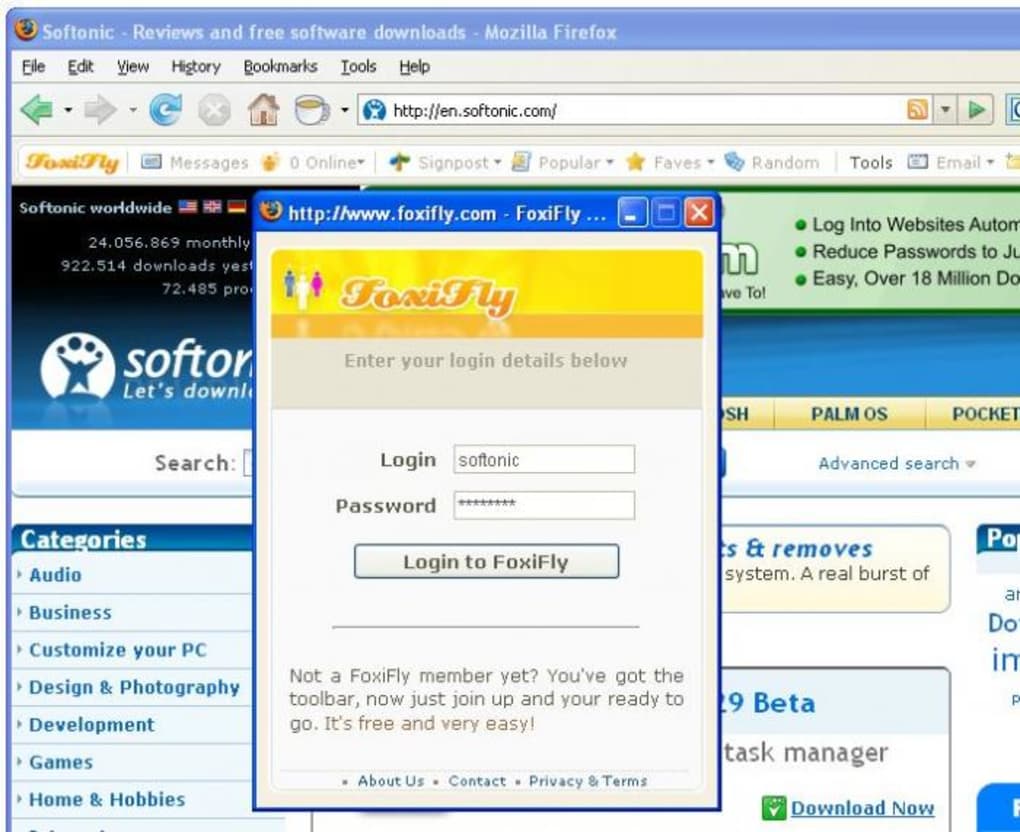
- Create or Log Into Your Account: Upon first launch, a pop‑up invites you to sign up using an email address or a social media account. This account links your browsing activity to your FoxiFly profile.
- Configure Privacy Settings: Navigate to the FoxiFly options panel (accessible via the toolbar icon) and toggle “Activity Tracking”. Turn it on if you want to benefit from community rankings; leave it off for a private experience.
Once installed, using FoxiFly is intuitive. The toolbar sits beside your address bar and features icons for chat, share, popularity, and utilities. To start a shared session, click the Chat icon, select friends from your contact list, and press Invite. A small window appears on the right side of the browser, showing a live chat feed and a list of participants. As you navigate, the URL synchronizes for everyone, and any text you type in the chat is visible to the group in real time.
For quick sharing, hover over the Share button and choose the destination—FoxiFly network, Twitter, Facebook, or email. The extension automatically generates a shortened link and adds a preview image if the page supports Open Graph tags. The Popularity icon opens a dropdown with the latest “Hot” lists, letting you discover trending videos, articles, or photos without leaving your current tab. Finally, the Utilities icon gives you instant access to the email checker and tab‑set manager, streamlining multitasking tasks.
Compatibility, Pros & Cons, and Frequently Asked Questions
FoxiFly is built as a browser extension and therefore works on any operating system that supports the major browsers: Windows 10/11, macOS Catalina or newer, Linux distributions (Ubuntu, Fedora, etc.), as well as mobile versions of Chrome and Firefox on Android 12+ and iOS 14+. The extension automatically detects your browser version and applies the appropriate APIs, ensuring smooth performance across platforms.
Pros
- Social Collaboration: Turns solitary browsing into a shared, interactive experience.
- Real‑Time Content Discovery: Popularity rankings keep you up‑to‑date with trending media.
- Integrated Utilities: Email checker and tab‑set manager increase productivity without extra add‑ons.
- Free & Secure: No hidden fees; data is encrypted during transmission, and privacy toggles give you control.
- Cross‑Platform Support: Works on Windows, macOS, Linux, Android, and iOS browsers.
Cons
- Privacy Concerns: Community features rely on sharing browsing data; users uncomfortable with tracking may miss out on core functionality.
- Learning Curve: New users may need time to understand the shared‑browsing workflow.
- Resource Usage: Real‑time synchronization can consume a small amount of RAM and CPU, noticeable on older machines.
- Limited to Supported Browsers: Not available for Safari or older, unsupported browsers.
Frequently Asked Questions
Is FoxiFly completely free to use?
Yes, FoxiFly is offered as a free extension. There are no hidden subscription fees, and all core features—including social browsing and popularity rankings—are available at no cost.
How does FoxiFly protect my personal data?
All data transmitted between your browser and FoxiFly servers is encrypted using TLS 1.2+. You can also disable activity tracking entirely in the settings, which stops any browsing information from being sent to the community.
Can I use FoxiFly on mobile devices?
Yes. FoxiFly is available for the mobile versions of Chrome and Firefox on Android and iOS. The interface adapts to smaller screens while preserving all sharing and chat functionalities.
What browsers are supported?
The extension works with the latest versions of Firefox, Chrome, and Microsoft Edge. Safari is not currently supported, though a roadmap for future compatibility is under consideration.
How do I report a bug or suggest a new feature?
You can submit feedback directly from the FoxiFly options panel under “Help & Feedback”. Alternatively, visit the official support page linked in the toolbar for a detailed bug‑tracking system.
Conclusion & Call to Action
FoxiFly stands out as a pioneering tool that merges social networking with everyday web browsing. If you enjoy discovering fresh content with friends, need a quick way to share links, or simply want a smarter toolbar that keeps you informed about trending media, FoxiFly delivers a seamless, free, and secure experience. While the optional tracking feature may raise privacy questions, the ability to disable it entirely ensures that you retain full control over your data.
Ready to turn solitary surfing into a collaborative adventure? Free Download FoxiFly now and start chatting, sharing, and exploring the web together. Join the community, customize your privacy settings, and enjoy a richer, more social internet experience today.







